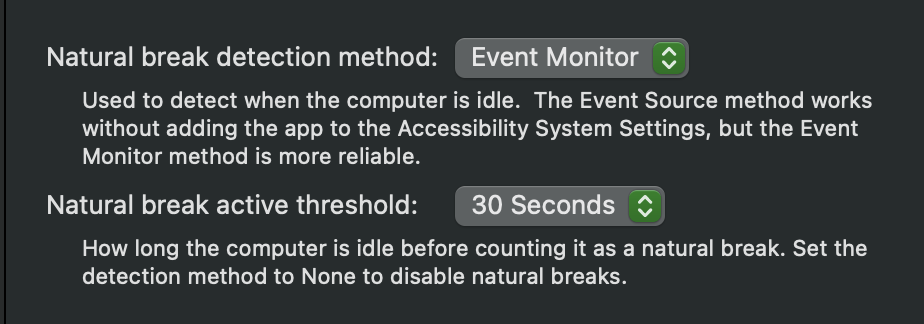
Adding Time Out to Accessibility System Settings to enable idle detection
· FAQ · Time Out
Read More
· FAQ · Time Out
Read More
· FAQ · Simon
Dejal Simon is a powerful and flexible website & server monitoring tool. One of the reasons it is so flexible is that in addition to the many built-in services, filters, notifiers & reports, you can extend it by using or writing custom scripts (or port sessions). Simon comes bundled with many examples of such scripts; check out the Services, Filters & Notifiers lists and look for the items with a "Script" subtitle. You can inspect and edit those to customize them to suit your needs, or use them as inspiration for your own. As an additional resource, the Simon site has an Extras page, which…
Read More
· FAQ · Simon · Time Out
Time Out comes with a number of built-in sounds that you can play as part of the Break Actions, plus it lists all sounds you have installed on your Mac, which includes system default ones, and any you have added to the standard sound folders. It's worth noting that you can also have Time Out play any music from your Apple Music library, too. Find more sounds To add more sounds, you first need to find and download them from a website. There are many sites that offer sounds of varying length, quality, themes, etc. Some for free, some as paid offerings. Usually with previews so you can listen…
Read More
· FAQ · Time Out
In ye olde days, software was sold once, for what would be considered nowadays to be a high price, and every year or so the developer would release a major paid upgrade, typically charging about half of the original price. I still do this for Simon, my pro tool to monitor websites and servers for changes or failures, since that model is still common for pro apps. Though it is also available on Setapp, as part of a subscription along with hundreds of other apps. But for Time Out, my popular break reminder app, I wanted to try something different. I introduced a "supporter" model, where people…
Read More
· FAQ · Simon
The Simon app has pages for filters, notifiers, reports and auto pause times while editing a test. These can be reordered very easily, by dragging them to the desired order. The order really only matters for filters, since subsequent filters can refer to the output of previous ones, though others might look better in a custom order. Simply click and drag anywhere outside a control to move a filter etc to a new position. Here's a looping video example:
Read More